BSD × Samsung
Release Gift Card
STEP 1 OF 3
Select the store, then scan or enter the barcode
Fill the frame mostly with the barcode, hold steady, avoid glare — a closer photo decodes better than a wider one.
— or enter manually —
STEP 2 OF 3
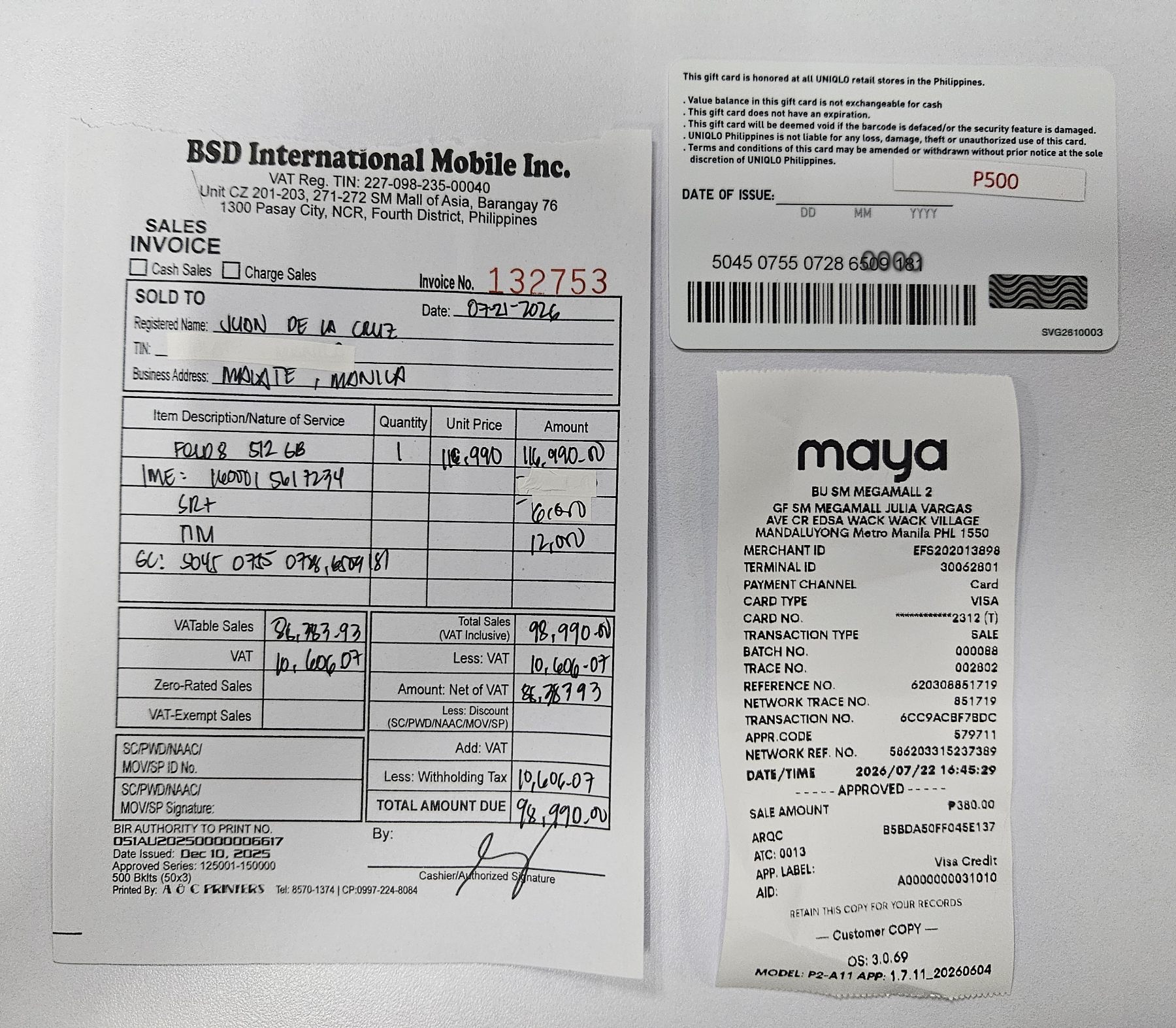
Upload clear photos of the following:
- Sales Invoice – showing customer details, Flip/Fold IMEI, freebies, and gift card serial number.
- Bank Charge Slip
- Gift Card – side with the serial number clearly visible.
Sample layout
STEP 3 OF 3
Have the customer sign below
ACKNOWLEDGMENT RECEIPT
I hereby acknowledge that I have received the promotional gift card in connection with my Samsung Galaxy preorder/purchase. I confirm that the gift card was received in good condition and that I have no further claim regarding its issuance.